

Scientific calculator plus 991
Tools for student
When I need more than basic addition, I want a calculator that feels close to a real scientific model without making me fight the screen. Scientific calculator plus 991 is aimed at that exact space. It is an education app from Tools for student, available for free, and its large audience suggests that many learners already use it as a daily calculation companion. I tested it with the mindset of a student moving between homework, revision, and quick checks, rather than treating it as a simple phone calculator.
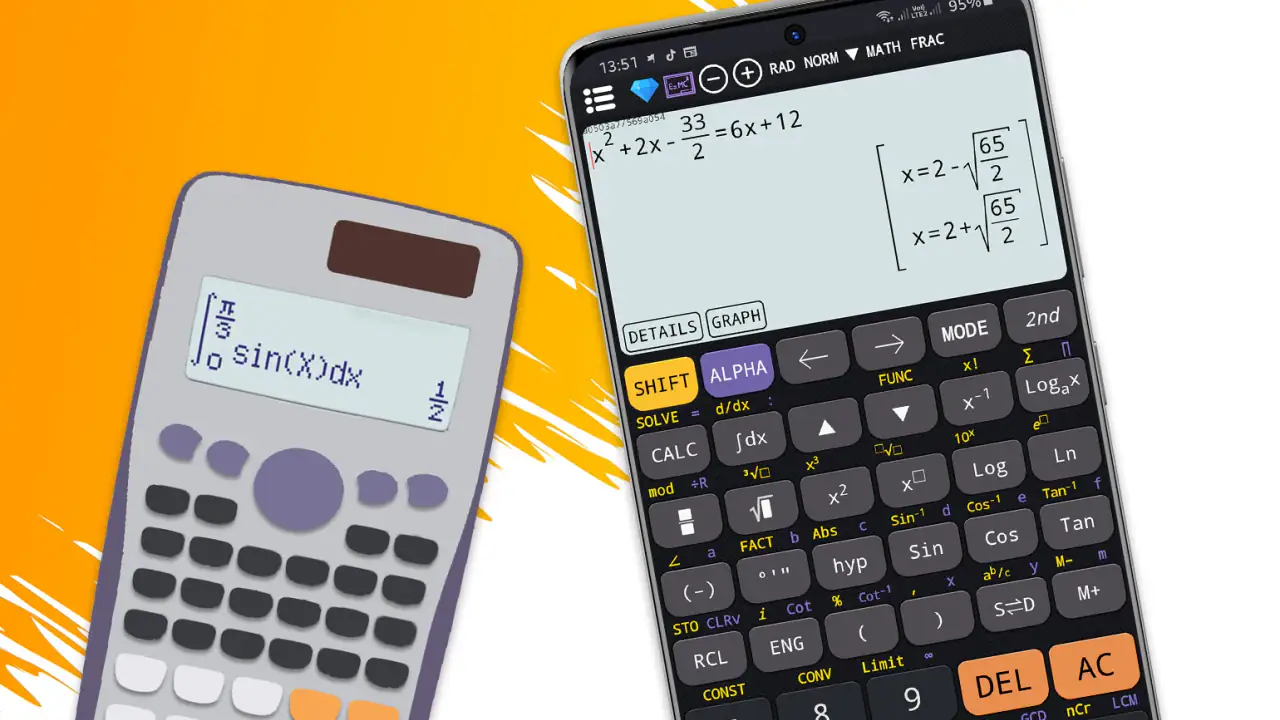
My first impression is that this is not designed for someone who only needs a four-function keypad. It makes more sense for school and university work involving scientific notation, trigonometry, powers, roots, logarithms, and other operations that are awkward on a standard calculator. The app also presents itself as more than one calculator experience, with simulator options associated with the 115 and 300 plus families. That broader approach is useful when you want to practise with a familiar calculator style or compare different layouts.
The important question is not whether it has many buttons. The real question is whether those buttons help you work faster and with fewer mistakes. In my experience, the answer depends on how you study. If you regularly type formulas, check textbook answers, or need a scientific calculator while away from your desk, this app is a strong candidate. If you prefer handwriting every step or need a formal tool for assessed exams, it should be treated as a practice and checking aid rather than an automatic replacement for your approved calculator.
How I would decide whether it fits my work
I would begin with the kind of problems I actually solve. For quick arithmetic, the app is more capable than necessary, and its scientific layout can feel busy. For algebra preparation, physics exercises, chemistry calculations, engineering basics, or statistics practice, the extra controls become worthwhile. The best fit is someone who wants one phone app that can handle ordinary calculations and more technical expressions without installing several separate tools.
Operating system compatibility is also straightforward for many older devices: the current version, 7.4.7.69, requires Android 7.0 or later. The content rating is Everyone, which makes the app suitable for learners across a wide age range. I would still judge it by the student’s needs, because an age-friendly rating does not make a dense scientific interface automatically easy for a young beginner.
Latest News

Uber Eats Under Pressure: What Happens When Delivery Goes Wrong

How QR & Barcode Scanner Adapts to Android and iOS Innovations

Why Waze Navigation & Live Traffic Is Your Essential Travel Companion

CapCut Mastery: Unleash Hidden Features for Pro-Level Editing

How OS Updates Enhance Roblox Adventures

Teacher Simulator: Exam Time Turns Quick Classroom Judgments into a Repetitive Loop
Trust is another reasonable part of the decision. The app has an average rating of 4.9 from around 538 thousand ratings, along with roughly 4.2 thousand written reviews. It has passed the 50-million-install mark, so this is not an obscure calculator that has just appeared. Those figures do not prove that every screen will suit me, but they do make it easier to consider the app as an established option rather than an experiment.
I also pay attention to the developer name, Tools for student, because it clearly signals the intended audience. This feels built around study situations rather than business accounting or professional data analysis. That distinction matters: a student may value calculator simulations and a broad scientific keypad more than spreadsheet integration, while an office user may prefer a simpler calculator embedded in a productivity suite.
The everyday workflow that makes it useful
Imagine checking a physics exercise on the bus. I can enter the measured values, select the needed scientific operation, and compare the result with my handwritten work before I get home. The practical benefit is not merely obtaining an answer. It is finding where my work diverged: perhaps I used degrees instead of radians, pressed a reciprocal function too early, or misplaced a power of ten.
Gallery
That is why I recommend using it as a second-pass checker. First solve the problem on paper, then enter the same expression. If the results differ, inspect the expression rather than immediately trusting the screen. This habit turns the calculator into a learning tool. It also protects against a common weakness of phone calculators: a correct output can still come from an incorrectly entered formula.
A useful routine is to enter a simple test expression before a longer session. For trigonometry, I would check a familiar angle and confirm that the selected angle mode behaves as expected. For scientific notation, I would enter a value whose scale I already understand. This takes only a moment and can prevent an entire page of calculations from being based on the wrong setting.
What the simulator approach adds
The simulator choices are one of the more distinctive reasons to try this app. Many mobile scientific calculators offer a modern keypad, but a simulator can be valuable when a class uses a calculator layout that students need to recognise. The 115 and 300 plus references suggest that the app is trying to reproduce more than one established style, rather than forcing every user into one generic arrangement.
That can reduce the cost of switching from a physical calculator to a phone during revision. I do not have to relearn every function from scratch if the visual arrangement resembles the device I already understand. On the other hand, a simulated layout can also make the screen feel crowded. If I am accustomed to a clean, minimal calculator, the extra keys may slow me down until the important functions become familiar.
My advice is to choose one layout for a full study session instead of jumping between simulator styles for every problem. Consistency helps muscle memory. Once I know where powers, brackets, trigonometric functions, and mode controls are located, I make fewer entry pauses. Switching layouts is useful when preparing for a particular physical calculator, but it is not necessarily efficient for routine homework.
Where it performs better than a basic calculator
The clearest advantage is concentration. Rather than opening a browser, searching for a calculator, and dealing with a page that may be awkward on a small screen, I can use a dedicated education app. A standard phone calculator is fine for a restaurant bill, but it becomes frustrating when the expression includes nested brackets, exponents, or scientific notation.
Another strength is the sense of continuity between simple and advanced work. I can start with ordinary arithmetic and move into scientific functions in the same place. That matters during revision because real exercises rarely stay at one difficulty level. I may calculate a unit conversion, use a power, and then check a trigonometric relationship without changing apps.
The free entry point is important here. Scientific calculators can be a separate purchase for students, and a phone app lowers the barrier to practising outside the classroom. The app is free to download and use, while optional in-app purchases range from $0.99 to $4.99 per item. I would check the purchase prompts carefully and decide whether the free experience already covers my needs before paying for anything.
There is also a practical advantage for learners who forget their physical calculator. A phone is usually nearby, so the app can serve as a backup during revision or when checking a worksheet at home. I would not assume that a teacher or examination board will accept it during a test, though. Exam rules are separate from app capability, and a phone may be prohibited even when the calculation itself is appropriate.
Small habits that prevent large errors
Scientific calculator apps reward deliberate input. I keep brackets visible in my thinking, especially when entering a fraction or a negative value raised to a power. A minus sign and a negative number are not always treated the same way in mathematical notation, so I avoid relying on memory and use parentheses when the expression could be read in two ways.
I also separate calculation checks from final rounding. If a textbook expects a certain number of significant figures, I keep extra precision during the intermediate steps and round at the end. The app can produce a result quickly, but it cannot know whether my course expects decimal places, significant figures, or a particular unit. That judgement remains mine.
A less obvious benefit of practising with the simulator layouts is learning the location of functions rather than memorising isolated answers. I can recreate the sequence I would use on a physical calculator, then verify the result independently. This is particularly useful before a class test, when speed and familiarity can matter as much as knowing the formula.
Where another type of tool may fit better
I would not choose this app as my main tool for symbolic algebra. A scientific calculator is excellent for evaluating an expression, but someone who needs to expand, factor, rearrange, or solve equations symbolically may be better served by a computer algebra system. Those tools answer a different question: they show mathematical transformations, while a calculator mainly evaluates what I enter.
The same distinction applies to graphing. If my work depends on seeing how a function changes, finding intersections visually, or exploring a curve, a graphing app is likely more suitable. Scientific calculator plus 991 can be a useful numerical companion, but I would not replace a dedicated graphing environment with it when visual analysis is central to the assignment.
For long lists of values, a spreadsheet may be more efficient. Repeating the same formula across measurements, lab readings, or financial rows is easier when the data is organised in cells. This calculator is better for focused expressions and individual checks than for managing a table of related calculations.
There is also a case for a physical calculator. If I need tactile buttons, a clear display under bright classroom lighting, or a device permitted in an examination, a dedicated model may be the safer choice. The phone app is convenient, but convenience is not the same as exam compliance. I would use the app to practise the same methods and layout, then bring the permitted device when rules require it.
The friction of moving from another calculator
Switching is inexpensive in money because the app is free, but it still has a learning cost. A user coming from a basic phone calculator must learn scientific notation, function keys, angle modes, and the way the chosen simulator arranges secondary operations. That first session may feel slower than expected. I would not judge it after entering only one easy sum.
Someone moving from a physical 991-style calculator may have the opposite experience: the familiar idea is there, but touch input changes the rhythm. Physical keys provide feedback through pressure, while a phone screen depends on visual confirmation. I would slow down for long expressions and review the full entry before accepting the result, especially when working quickly.
Paid items can also influence the switching decision. The app remains free at its base price, but optional purchases of $0.99 to $4.99 per item mean that some users may encounter features or conveniences behind a payment prompt. I see that as a manageable trade-off, provided I am comfortable using the free version or checking exactly what an optional item changes before buying.
The app’s broad audience can be reassuring, but it can also create an expectation that the interface will suit everyone. It will not. A beginner may need a simpler introduction, while an advanced user may want specialist tools beyond scientific evaluation. I would install it when the 991-style workflow is close to what I need, not merely because the rating is high.
Who should install it first
I would recommend it to secondary-school and university students who need a dependable scientific calculator on Android, especially those who practise away from their desk or want to compare their handwritten answers. It is also a sensible backup for anyone who normally uses a physical scientific calculator and wants a familiar style available during revision.
It suits learners who are willing to spend a little time understanding the keypad. The strongest results come when I use it actively: checking units, testing angle modes, comparing intermediate steps, and repeating a problem after correcting an error. Simply pressing buttons until the final number appears misses much of its educational value.
I would be more cautious about recommending it to a child who is just learning arithmetic, a professional who needs spreadsheet-style data handling, or a student whose course requires symbolic manipulation and graphing. Those users may find the scientific focus either unnecessarily complex or too limited for their main tasks.
My recommendation after weighing the trade-offs
Scientific calculator plus 991 earns my recommendation as a practical study calculator, not as a universal mathematics platform. Its combination of scientific functions, simulator-oriented layouts, free access, and compatibility with Android 7.0 or later makes it especially attractive for students who want more than the default calculator without immediately buying a physical device.
I would install it, choose the layout closest to the calculator used in class, and spend one short session practising modes and brackets before relying on it for real homework. I would also keep a physical or approved alternative for exams and use a graphing or symbolic tool when the assignment calls for those capabilities.
In the end, the app is most valuable when I treat it as a careful calculation partner rather than an answer machine. Its real strength is helping me check scientific work quickly while keeping a familiar calculator workflow in my pocket. For that specific purpose, the strong user response and large install base make sense, and the free starting point makes trying it a low-risk decision.
FAQs for Scientific calculator plus 991
What features does Scientific Calculator Plus 991 offer?
Scientific Calculator Plus 991 offers a wide range of features, including advanced scientific functions, graph plotting, matrix calculations, and unit conversions. It supports complex numbers and statistical functions as well. The app is designed for students and professionals who need a reliable tool for solving complex mathematical problems quickly and efficiently.
Is Scientific Calculator Plus 991 easy to use for beginners?
Yes, Scientific Calculator Plus 991 is designed with an intuitive interface that caters to both beginners and advanced users. The app includes a comprehensive tutorial and help section to guide new users through its various functions, ensuring that they can make the most of the app's capabilities without a steep learning curve.
Does Scientific Calculator Plus 991 require an internet connection?
No, Scientific Calculator Plus 991 does not require an internet connection to perform calculations. All features are accessible offline, making it convenient for users to perform calculations anywhere, anytime. However, an internet connection may be required for initial download and updates.
Is there a cost associated with downloading or using Scientific Calculator Plus 991?
Scientific Calculator Plus 991 is available as a free download with basic features. However, there may be in-app purchases to unlock additional advanced features or remove ads. Users can choose to upgrade based on their specific needs, ensuring flexibility and affordability.
What devices are compatible with Scientific Calculator Plus 991?
Scientific Calculator Plus 991 is compatible with a wide range of Android and iOS devices. The app is optimized to run smoothly on both smartphones and tablets, providing a seamless experience regardless of the device used. Users should ensure their device meets the app's minimum system requirements before downloading.
Pros
- Supports complex calculations effortlessly.
- User-friendly interface for quick navigation.
- Includes a variety of scientific functions.
- Customizable settings for personalized use.
- Lightweight app with minimal storage usage.
Cons
- Ads can be distracting during use.
- Some advanced features require payment.
- Limited graphing capabilities.
- Occasional lag on older devices.
- No offline support for help documentation.


